AI motion graphics generator for your own videos
Last updated: November 10, 2026
SpaceCut is a video editor for Mac and Windows with an AI agent that builds motion graphics on your own footage. Ask for a title, a stat, a lower third or a transition: the agent creates it at that moment of your video, in your fonts and colors. Each animation then has its own settings, which you change yourself without asking again.
What you can ask for
- An animated title, on a word or a sentence you say.
- A number or a stat that counts up.
- A lower third with a name and a role.
- A transition between two shots.
- Captions that follow the voice, word by word.
You ask in plain words (“add an animated title here”), or you pause the video, draw a box on the part of the frame you mean, and write what you want there.
Built for this video
The agent does not pick from a fixed pack of templates. It reads what is said, looks at the frame, and builds the animation for that moment: the right words, the right place, your fonts and your colors.
You can also show it a video you like. SpaceCut studies its titles, captions and pacing, and turns them into rules that every new edit follows.
Then you take over
Every animation the agent creates comes with its settings: text, font, size, colors, background, shadow, position, timing. You change them in the settings panel and see the result right away. No new request, and no waiting for the agent.
This is the difference with tools where each change is a new prompt.
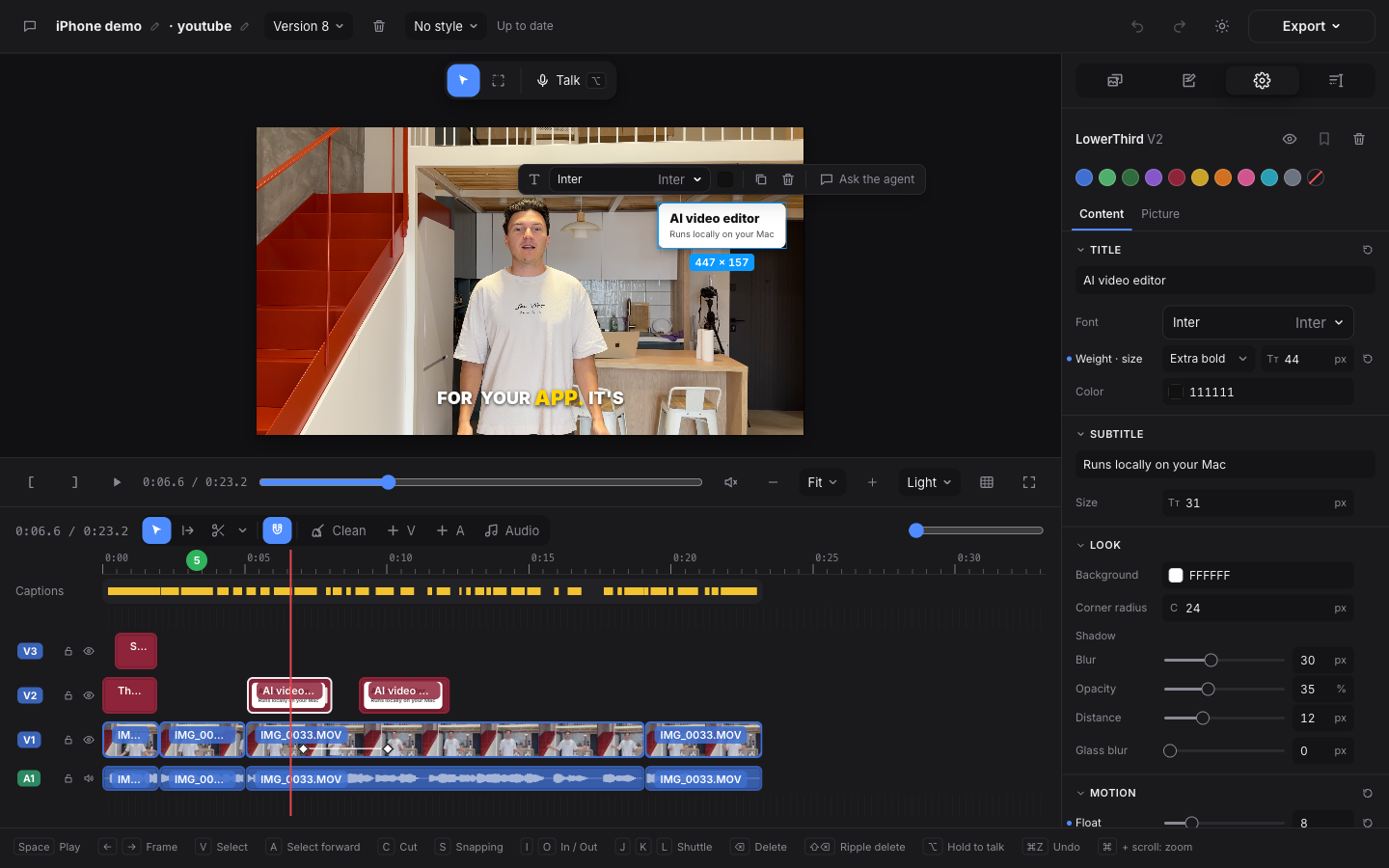
Several versions on the same clip
Ask for five versions of the same title. They land on the same clip of the timeline: you loop them, compare them and keep one.
Where the animations go
Each animation is a clip on the timeline, above your footage. From there:
- Render an MP4 from SpaceCut, with everything in the picture.
- Export to your editor. Each animation becomes a video file, ProRes 4444 when it has transparency, already placed on the timeline. See Export to Premiere Pro and Export to DaVinci Resolve.
What it is not
- Not a text-to-video generator. SpaceCut does not invent footage. It draws graphics over the video you shot.
- Not instant. Building an animation takes the agent some time. Changing a setting afterwards is immediate.
- Not a separate AI bill. The agent runs on your own Claude Code or Codex plan.
Questions
Can I change an animation after the AI made it? Yes. Text, font, size, colors, background, shadow, position and timing are all settings you change by hand.
Does it use my fonts and my colors? Yes. The agent builds each animation in the fonts and colors of your style.
Can I use the animations in Premiere Pro or DaVinci Resolve? Yes. They are exported as video files and placed on the timeline for you. Animations with transparency keep it.
Do I need After Effects? No. The animations are built and rendered inside SpaceCut.
How much does it cost? SpaceCut is a monthly, yearly or lifetime license. See the prices.