SpaceCut vs Eddie AI: which AI video editor to pick
Last updated: November 16, 2026
Pick Eddie AI if you work in a team, edit in a browser or on an iPhone, or want to try before you pay: it starts with 500 free credits and writes native Premiere Pro and DaVinci Resolve projects. Pick SpaceCut if you already pay for Claude or ChatGPT, want your footage to stay on your computer, and want animations you can adjust by hand.
We make SpaceCut. Everything about Eddie AI on this page comes from its own website, read on November 16, 2026. We have not tested Eddie AI ourselves.
SpaceCut vs Eddie AI at a glance
| SpaceCut | Eddie AI | |
|---|---|---|
| Runs on | Mac (Apple silicon), Windows 10 or 11 (beta) | Web, Mac (Apple silicon and Intel), Windows, iPhone |
| What you pay | $12 a month, $115.20 a year, or $197 once | Credit packs: $10, $45, $120 or $350. No subscription required |
| Free to try | No free trial | 500 free credits, no card |
| The AI | Your own Claude Code or Codex plan | Eddie’s AI, paid in credits |
| Your footage | Stays on your computer | Uploaded to cloud projects, synced across devices |
| Animations | Made for your video, every setting adjustable by hand | 30 templates, or a custom graphic from a description; refining uses credits |
| Multicam | Syncs your cameras and microphones, then cuts to whoever is speaking | Multicam editing, kept as multicam clips in its Premiere and Resolve projects |
| Timeline export | Premiere Pro, DaVinci Resolve, Final Cut Pro | Premiere Pro (.prproj), DaVinci Resolve (.drp), Final Cut Pro, OTIO. Avid support is in beta |
Prices and features checked on November 16, 2026. Plans change, so check Eddie AI’s pricing before you buy. SpaceCut prices are the launch prices.
What you pay
Eddie AI sells credits. Importing costs about 250 credits per hour of footage, and each edit you ask for costs more credits. A 1,000-credit pack is $10 and a 5,000-credit pack is $45. Packs never expire. Eddie’s own calculator puts a three-hour talking-head project at about 1,100 to 1,700 credits.
SpaceCut is a license: monthly, yearly or lifetime. It sells no AI credits. The AI work runs on the Claude Code or Codex plan you already have, so you also need Claude Pro or Max, or ChatGPT Plus or Pro. A long edit uses that plan’s quota.
If you edit once in a while and have no AI subscription, Eddie’s packs cost less to start. If you edit every week and already pay for Claude or ChatGPT, a flat license has no meter.
Where your footage goes
Eddie AI’s site says “Upload your footage”. Projects live in the cloud and are the same on the web, the desktop app and the iPhone. The desktop app plays your footage natively and can render the MP4 on your machine. Eddie says it does not train on your footage and has passed SOC 2 Type I and Type II audits. An on-device option is listed for Enterprise.
With SpaceCut, your video files, projects and transcripts stay on your computer, and transcription runs there. The agent sends your request, transcript excerpts and still frames to the Claude or ChatGPT account you connected.
Animations and titles
Eddie AI has a library of 30 motion graphics templates, free to add and place, and can make a custom graphic from a description. Changing one is a new request, and “refining uses credits”. Eddie says graphics are “rendered into the MP4”, and tells you to check its export page before planning to finish graphics in another editor.
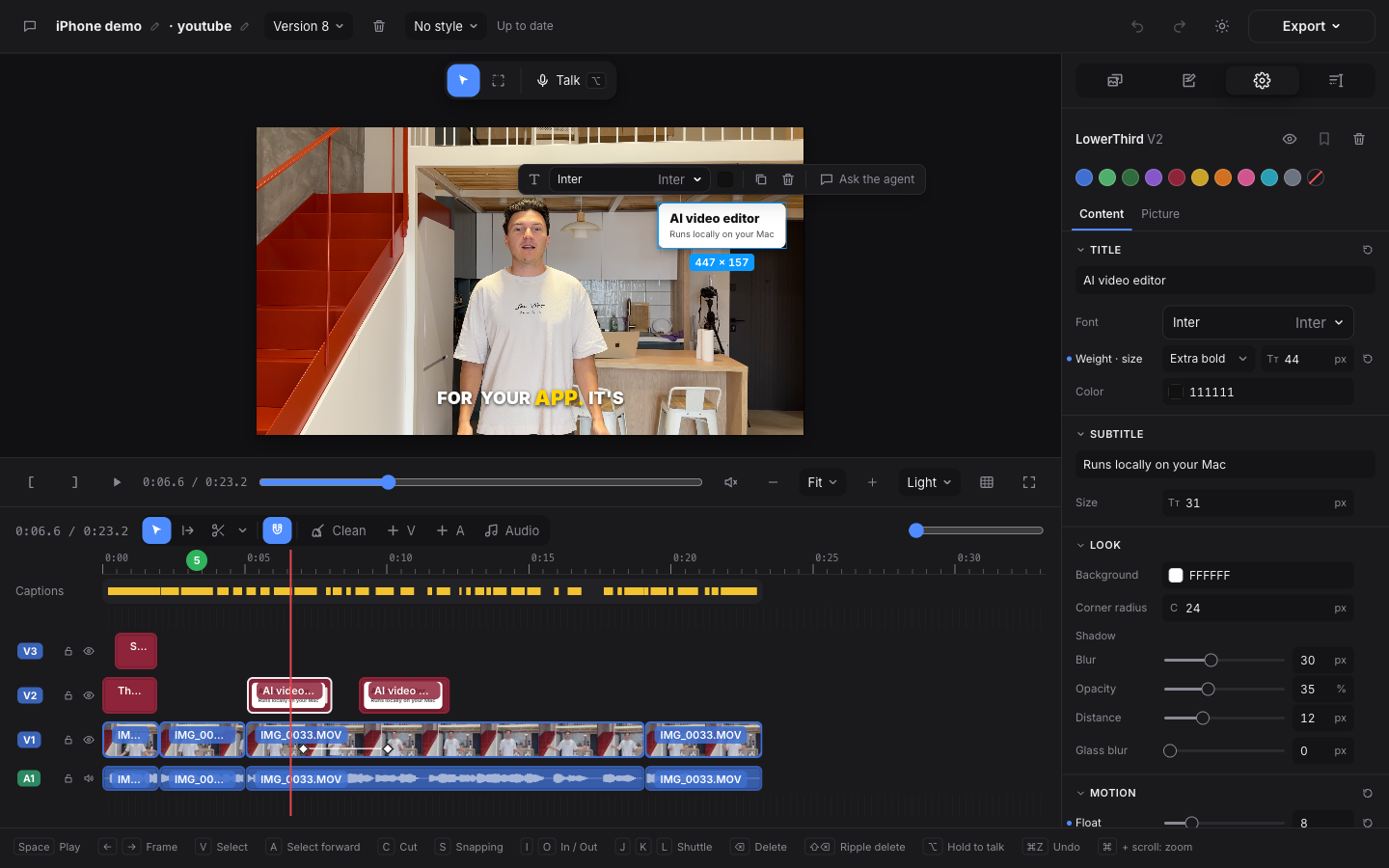
SpaceCut builds animations for your video in your fonts and colors. After that you change any setting yourself, without asking again. In a Premiere Pro export, animations arrive as video clips already placed on the timeline.
Export to Premiere, DaVinci and Final Cut
Both write a timeline your editor opens, linked to your original files.
Eddie AI goes further on formats. It writes a real Premiere project and a real Resolve project, with multicam clips intact, plus FCPXML and OTIO. Avid support is in beta. Its own table says the Premiere project does not carry the colour grade.
Eddie AI describes itself as “purpose-built for interview-driven content”. We have not compared the two on the same interview, so we make no claim either way. Both edit multicam shoots. SpaceCut syncs your cameras and microphones and cuts to whoever is speaking. Each camera and each microphone sits on its own track, and Premiere opens those same tracks. Eddie AI keeps a multicam clip as a multicam clip in the project it writes.
SpaceCut exports to Premiere Pro, DaVinci Resolve and Final Cut Pro, or renders an MP4.
Where Eddie AI is the better fit
- You need a native Premiere or Resolve project with multicam clips kept as multicam clips.
- Teams: shared workspaces, review links, SSO for Enterprise.
- An Intel Mac, an iPhone or a browser.
- You want to try it free first.
Where SpaceCut is the better fit
- You already pay for Claude or ChatGPT and don’t want a second AI bill.
- Your footage must not be uploaded.
- You want to adjust an animation by hand after the AI made it.
What SpaceCut does not do
- No free trial, and payments are not refundable, apart from the cases in our refund policy.
- The agent needs a paid Claude or ChatGPT plan, and an internet connection.
- No web app, no iPhone app, no Intel Mac.
Questions
Is Eddie AI free? New accounts get 500 free credits. Eddie’s site says that covers about half an hour of footage, imported and edited. After that you buy packs.
Can I use Eddie AI with Claude or ChatGPT? Yes, as a connector. Claude or ChatGPT then drives Eddie, and the work still uses your Eddie credits. SpaceCut works the other way: your Claude Code or Codex plan powers the agent inside the editor.
Do both export to Premiere Pro? Yes. Eddie AI writes a .prproj file. SpaceCut exports a sequence that Premiere imports.