SpaceCut vs ChatCut: two AI video editors for Claude Code and Codex
Last updated: November 24, 2026
Both edit video with the Claude Code or Codex plan you already pay for. Pick ChatCut if you want to start free, need a web editor or an Intel Mac, or want AI video, avatars and dubbing in the same tool, paid with credits. Pick SpaceCut if you edit often and want one flat price with no credits and no paid extras, an editor that never has a cloud side, and a Premiere, DaVinci or Final Cut export that keeps your animations, captions and color.
We make SpaceCut. Everything about ChatCut on this page comes from its own website and help pages, read on November 24, 2026. We have not tested ChatCut ourselves.
SpaceCut vs ChatCut at a glance
| SpaceCut | ChatCut | |
|---|---|---|
| Runs on | Mac (Apple silicon), Windows 10 or 11 (beta) | Web editor, Mac (Apple silicon and Intel), Windows 10 or later |
| What you pay | $12 a month, $115.20 a year, or $197 once | Free, or plans listed from $21 to $141 a month, billed annually, with 100 to 800 credits a month |
| Free to try | 3 days free on monthly and yearly, card required | Free plan, no card |
| Credits | None | Yes: for ChatCut’s built-in agent and for AI generation (video, images, voice, music, avatars, dubbing) |
| With Claude Code or Codex | The agent is inside the editor. You sign in once, from the app | You install an Agent Plugin, then ask from Claude Code or Codex, which drive the desktop app |
| Your footage | Stays on your computer. SpaceCut has no cloud | Desktop app: read from your computer. Web editor and AI features: ChatCut’s servers |
| Animations | Made for your video, every setting adjustable by hand | Motion graphics, with the properties the graphic exposes editable by hand |
| Exporting animations | Included: with transparency, alone or with the sequence | Paid plan required for transparent export, and to bundle them in the XML on the web |
| AI video, avatars, dubbing | Not sold by SpaceCut, by design. You connect the service you already pay for | Built in, paid with credits |
| Timeline export | Premiere Pro, DaVinci Resolve, Final Cut Pro (beta), with animations, captions and color LUTs | XML for Premiere Pro and DaVinci Resolve; a CapCut draft from the desktop app. Captions, text and transitions can be skipped |
Prices and features checked on November 24, 2026. Plans change, so check ChatCut’s pricing before you buy. SpaceCut prices are the launch prices.
What you pay
ChatCut has a free plan with no card: the editor, transcription, captions and local export. Its help pages list what needs a paid plan: 4K export, exporting motion graphics with transparency, bundling motion graphics in the XML on the web, custom avatars, and AI video and image generation. Cloud export has a “limited free allowance”; export on your own computer does not count toward it. Its paid plans are sold by credits: Starter with 100 credits a month, Plus with 200, Pro with 400 and Max with 800, listed at $21, $38, $72 and $141 a month when billed annually.
ChatCut’s help pages say what uses credits: messages to its built-in agent, and AI generation (video, images, avatars, translation and lip sync, music, sound effects, voiceover). They do not give a price per agent message: the charge is “variable”. When you edit through Claude Code or Codex instead, ChatCut says the thinking runs on your own plan and “not on ChatCut credits”; credits are used only when the work calls one of ChatCut’s generation services.
SpaceCut is a license: monthly, yearly or lifetime. It has no free plan, and it has no credits, for anything. The AI work runs on the Claude Code or Codex plan you already have, so you also need Claude Pro or Max, or ChatGPT Plus or Pro.
If all you want is to cut a video from Claude Code or Codex now and then, ChatCut costs less: nothing. If you edit every week, the comparison changes. The first time you need 4K, an animation with a transparent background, or your animations in the Premiere export, ChatCut’s entry plan is listed at $21 a month, billed annually. SpaceCut is $12 a month with all of that included, and no counter to watch.
How each one works with Claude Code and Codex
ChatCut is an editor with its own agent, plus a plugin for outside agents. Its installer adds a connector to Claude Code, Codex and other agents it finds on your computer. You then type your request in Claude Code or Codex, and they act on your project in ChatCut Desktop. The desktop app must be installed and signed in to a ChatCut account.
SpaceCut is one app. The agent sits in a chat panel next to the timeline, and it is Claude Code or Codex, signed in with your usual account from a button. You never open a terminal or a second app. You can also draw on the frame and leave notes at a time in the video, and the agent answers each note.
Where your footage goes
ChatCut Desktop reads your media from your computer and keeps new projects as local files. Its help pages also say it is “not a fully offline application”: the account, sync, the built-in agent and generation run online. ChatCut’s privacy policy names Amazon Web Services for hosting, storage and processing. We did not find where transcription runs.
With SpaceCut, your video files, projects and transcripts stay on your computer, and transcription runs there. There is no web editor and no SpaceCut cloud to send them to. The agent sends your request, transcript excerpts and still frames to the Claude or ChatGPT account you connected.
What each one edits
Both clean up speech: ChatCut’s Speech Cleanup “cuts out verbal slips, repetition and awkward pauses”, and SpaceCut keeps your best take and cuts retakes, false starts and stutters on the silence between words. Both add captions, motion graphics and color, and both sync several cameras and cut to whoever is speaking.
ChatCut goes wider on generation. It has AI video and image models, avatars, voice cloning, music, and translation with lip sync, all built in and paid with credits.
SpaceCut sells no AI generation, on purpose. If you already pay for a generation service, a second set of credits inside your editor is a second bill for the same thing. You connect the service you use, such as Higgsfield, under your own account, and the agent places what it generates on your timeline.
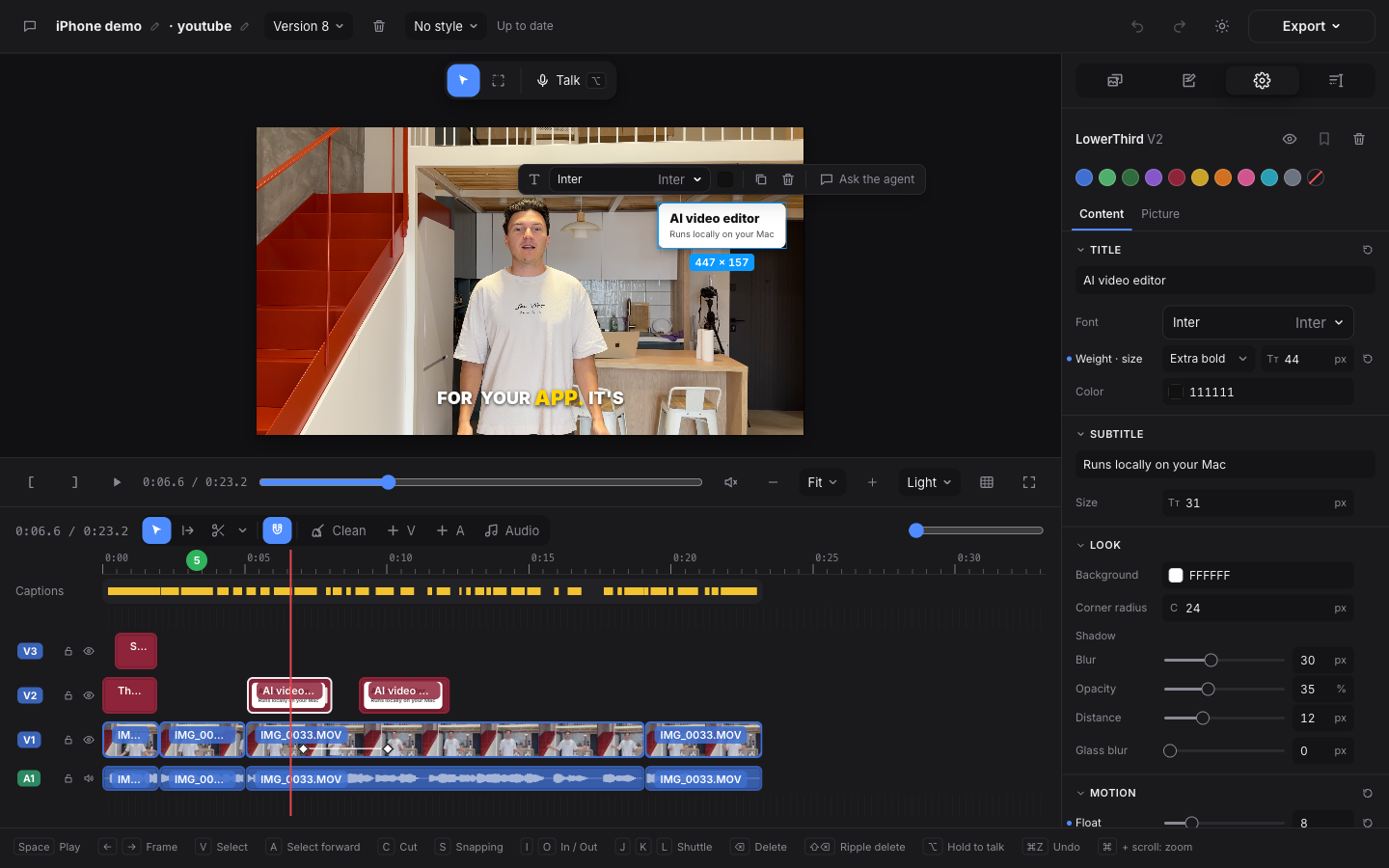
SpaceCut goes deeper on the edit itself. It builds animations for your video in your fonts and colors, and you change any setting by hand afterwards. It learns a style from reference videos you give it and reuses it on the next edit. It grades color, and turns a long video into shorts reframed to 9:16.
Export to Premiere, DaVinci and Final Cut
ChatCut exports an XML file for Premiere Pro and DaVinci Resolve, free, and a CapCut draft from the desktop app. Its help page lists what that XML can skip: captions, text, transitions, effects, nested timelines, and motion graphics that were not rendered into the export. Its home page also shows Final Cut Pro; the XML help page names only Premiere Pro and DaVinci Resolve.
SpaceCut exports to Premiere Pro, DaVinci Resolve and Final Cut Pro (beta). The sequence links to your original files. Animations arrive as video clips already placed on the timeline, captions as an .srt file, color grades as .cube LUTs, and nested sequences stay nested. For what an XML file cannot carry, SpaceCut leaves a marker that says what to do. It does not export a CapCut draft.
Where ChatCut is the better fit
- You want to start free, with no card.
- You have an Intel Mac, or you want to edit in a browser.
- You want AI video, avatars, voice cloning or dubbing sold in the same tool.
- You already work in Claude Code or Codex and want to stay there.
- You finish in CapCut.
Where SpaceCut is the better fit
- You edit often and want one price, with 4K and animation export included.
- You already pay for AI generation elsewhere and don’t want a second set of credits.
- You don’t want a terminal: the agent is in the editor.
- Your footage must stay on your computer, with no cloud side at all.
- You finish in Premiere Pro, DaVinci Resolve or Final Cut Pro and want your animations, captions and color to come along.
- You want a lifetime license.
What SpaceCut does not do
- No free plan. Monthly and yearly start with 3 days free and ask for your card. Lifetime has no trial. Payments are not refundable, apart from the cases in our refund policy.
- It sells no AI video, avatars, voice cloning or dubbing: you connect a service you already have.
- No web editor and no Intel Mac. Windows is in beta.
- The agent needs a paid Claude or ChatGPT plan, and an internet connection.
Questions
Is ChatCut free? Yes, with limits. The free plan has the editor, transcription, captions and local export. 4K export, transparent export of motion graphics and most AI generation need a paid plan with credits.
Do both work with Claude Code and Codex? Yes, in two different ways. ChatCut installs a plugin, and you ask from Claude Code or Codex. SpaceCut has the agent inside the editor: you sign in to Claude Code or Codex once, from the app.
Does either one sell AI credits? ChatCut does: for its built-in agent and for AI generation. SpaceCut sells none.
Do both export to Premiere Pro? Yes. ChatCut writes an XML file that can skip captions, text and transitions. SpaceCut exports the sequence with its animations as clips, captions as an .srt file and color as LUTs.
Which one keeps my footage on my computer? SpaceCut always does. ChatCut’s desktop app reads your files from your computer; its web editor and its AI generation run on ChatCut’s servers.
Comparing other tools? Read SpaceCut vs Eddie AI and SpaceCut vs Gling.