SpaceCut vs Gling: which AI video editor to pick
Last updated: November 24, 2026
Pick Gling if you film talking-head YouTube videos and mostly want retakes, silences and filler words gone: it has a free plan, with no card. Pick SpaceCut if you already pay for Claude or ChatGPT, want your footage to stay on your computer, and want the same tool to add animations, color and shorts, with no monthly cap on hours.
We make SpaceCut. Everything about Gling on this page comes from its own website, read on November 23, 2026. We have not tested Gling ourselves.
SpaceCut vs Gling at a glance
| SpaceCut | Gling | |
|---|---|---|
| Runs on | Mac (Apple silicon), Windows 10 or 11 (beta) | Desktop app for Mac and Windows |
| What you pay | $12 a month, $115.20 a year, or $197 once | Free, or $20, $40 or $100 a month. Half that when paid annually |
| Free to try | 3 days free on monthly and yearly, card required | Free plan: 1 hour of footage a month, MP4 with a watermark, no card |
| Monthly limit | None from SpaceCut. Your Claude or ChatGPT plan has its own | 10, 30 or 100 hours of footage a month, by plan |
| The AI | Your own Claude Code or Codex plan | Gling’s AI, included in the plan |
| Your footage | Stays on your computer | Uploaded to Gling |
| Animations | Made for your video, every setting adjustable by hand | None listed. Captions, automatic zooms and AI B-roll |
| Multicam | Syncs your cameras and microphones, then cuts to whoever is speaking | Yes, but only when you export to DaVinci Resolve or Final Cut Pro |
| Timeline export | Premiere Pro, DaVinci Resolve, Final Cut Pro (beta) | XML to Premiere Pro, Final Cut Pro and DaVinci Resolve, on paid plans |
Prices and features checked on November 23, 2026. Plans change, so check Gling’s pricing before you buy. SpaceCut prices are the launch prices.
What you pay
Gling has a free plan: one hour of footage a month, and the MP4 carries a watermark. The free plan does not export to Premiere, Final Cut or Resolve. Paid plans are Plus at $20 a month for 10 hours of footage, Pro at $40 for 30 hours and Elite at $100 for 100 hours. Paid annually, each costs half. Gling’s site says unused hours do not carry over to the next month.
SpaceCut is a license: monthly, yearly or lifetime. It has no free plan and no cap on hours. The AI work runs on the Claude Code or Codex plan you already have, so you also need Claude Pro or Max, or ChatGPT Plus or Pro. A long edit uses that plan’s quota.
If you have no AI subscription, Gling costs less: one bill, and a free plan to start. If you already pay for Claude or ChatGPT, SpaceCut adds $12 a month and no hour counter.
Where your footage goes
Gling’s first step is “Upload Your Raw Recording”. Its plans are counted in hours of footage uploaded each month.
With SpaceCut, your video files, projects and transcripts stay on your computer, and transcription runs there. The agent sends your request, transcript excerpts and still frames to the Claude or ChatGPT account you connected.
What each one edits
Gling is built for one job, and says so: it “specializes in enhancing videos using speech-to-text technology”. It removes bad takes, silences and filler words, then lets you fix the result by editing the text or removing clips from the timeline. It adds captions, automatic zooms, noise removal and AI B-roll. For YouTube, it generates titles, chapters and ideas for your next video. Its own site says that if your videos have no speech, it “may not be the best fit”.
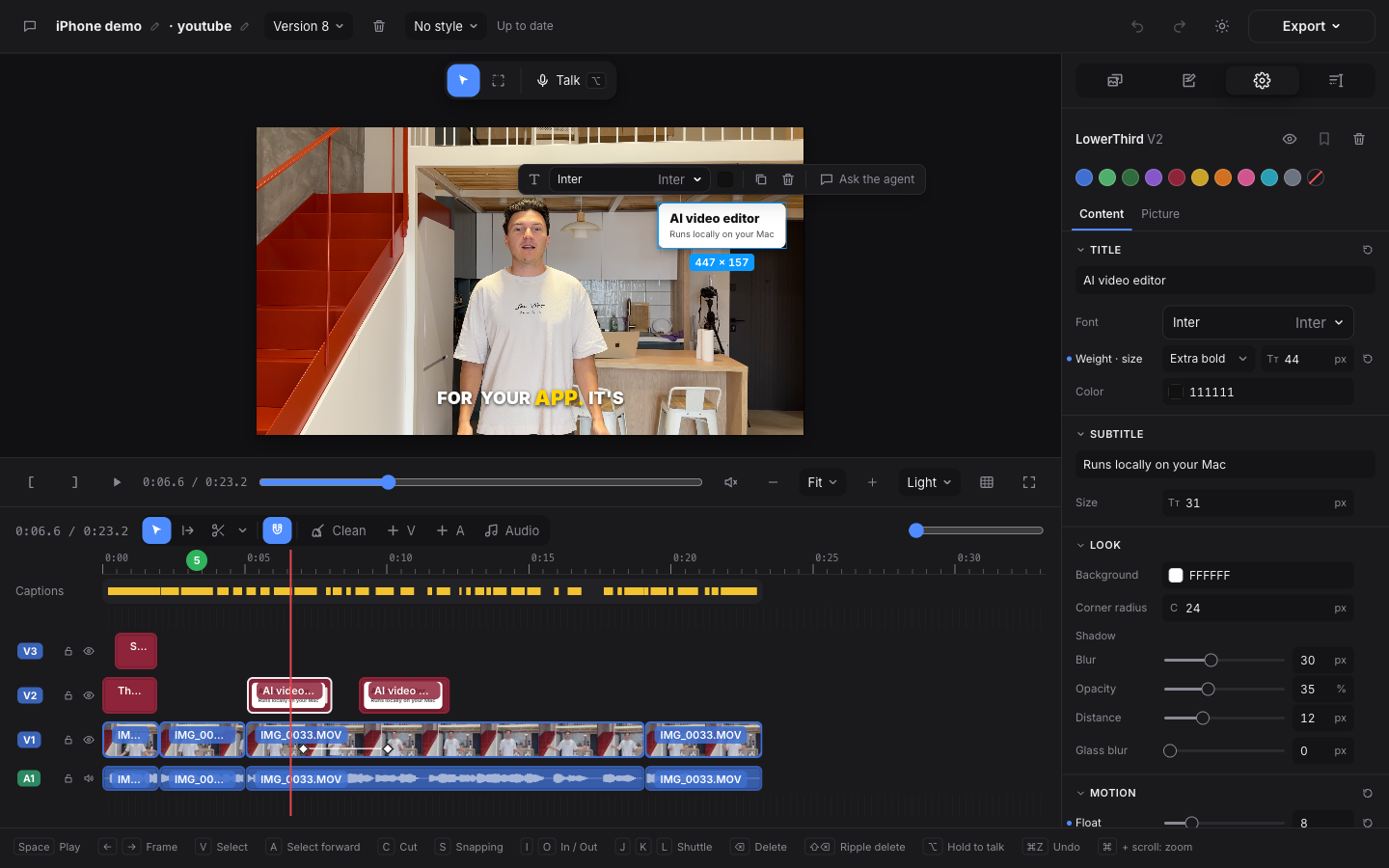
SpaceCut does the same cleanup: it keeps your best take and cuts retakes, false starts and stutters on the silence between words. Then it goes further in the edit. It builds animations for your video in your fonts and colors, and you change any setting by hand afterwards. It grades color, and turns a long video into shorts reframed to 9:16.
SpaceCut has added more around the edit since launch. A folder you choose can start an edit on its own when new footage lands in it, and a finished live stream becomes 9:16 clips. The agent reads the script or the brief you attach, edits long videos block by block, and makes the sound effects that go with your animations. The interface comes in English, French and Spanish, and the agent answers in the language you write in. On Windows, it works with Codex as well as Claude Code. What’s new lists every version.
Export to Premiere, DaVinci and Final Cut
Both send your cut to your editor. Gling writes an XML file for Premiere Pro, Final Cut Pro and DaVinci Resolve on its paid plans, or an MP4, an MP3 and captions as an .srt file.
Multicam is where they differ. Gling’s site says it supports several cameras or a separate microphone “only if you aim to export your file to either DaVinci Resolve or Final Cut Pro”. For Premiere or an MP4, you sync the files yourself before uploading.
SpaceCut syncs your cameras and microphones and cuts to whoever is speaking. Each camera and each microphone sits on its own track, and Premiere opens those same tracks. It also exports to DaVinci Resolve and Final Cut Pro, with the grade as a .cube file. Final Cut Pro export is in beta.
Where Gling is the better fit
- You want to start free, with no card.
- You have no Claude or ChatGPT plan and don’t want one.
- Your videos are one person talking to the camera, and cleanup is all you need.
Where SpaceCut is the better fit
- You already pay for Claude or ChatGPT.
- Your footage must not be uploaded.
- You want animations, color and shorts in the same edit.
- You shoot with several cameras and finish in Premiere Pro.
- You edit many hours a month.
- You want edits to start on their own when footage lands in a folder.
What SpaceCut does not do
- No free plan. Monthly and yearly start with 3 days free and ask for your card. Lifetime has no trial. Payments are not refundable, apart from the cases in our refund policy.
- The agent needs a paid Claude or ChatGPT plan, and an internet connection.
- No Intel Mac. Windows is in beta.
Questions
Is Gling free? Yes, with limits. The free plan edits one hour of footage a month, puts a watermark on the MP4, and does not export to Premiere, Final Cut or Resolve.
Does Gling upload my videos? Yes. Its site describes uploading your raw recording, and its limits are counted in hours uploaded per month. SpaceCut keeps your video files on your computer.
Do both export to Premiere Pro? Yes. Gling writes an XML file on its paid plans. SpaceCut exports a sequence that Premiere imports, with each camera on its own track.
Which one removes filler words and retakes? Both. It is Gling’s main job. In SpaceCut it is one step of the edit, before animations, captions and color.
Comparing other tools? Read SpaceCut vs Eddie AI and SpaceCut vs ChatCut.